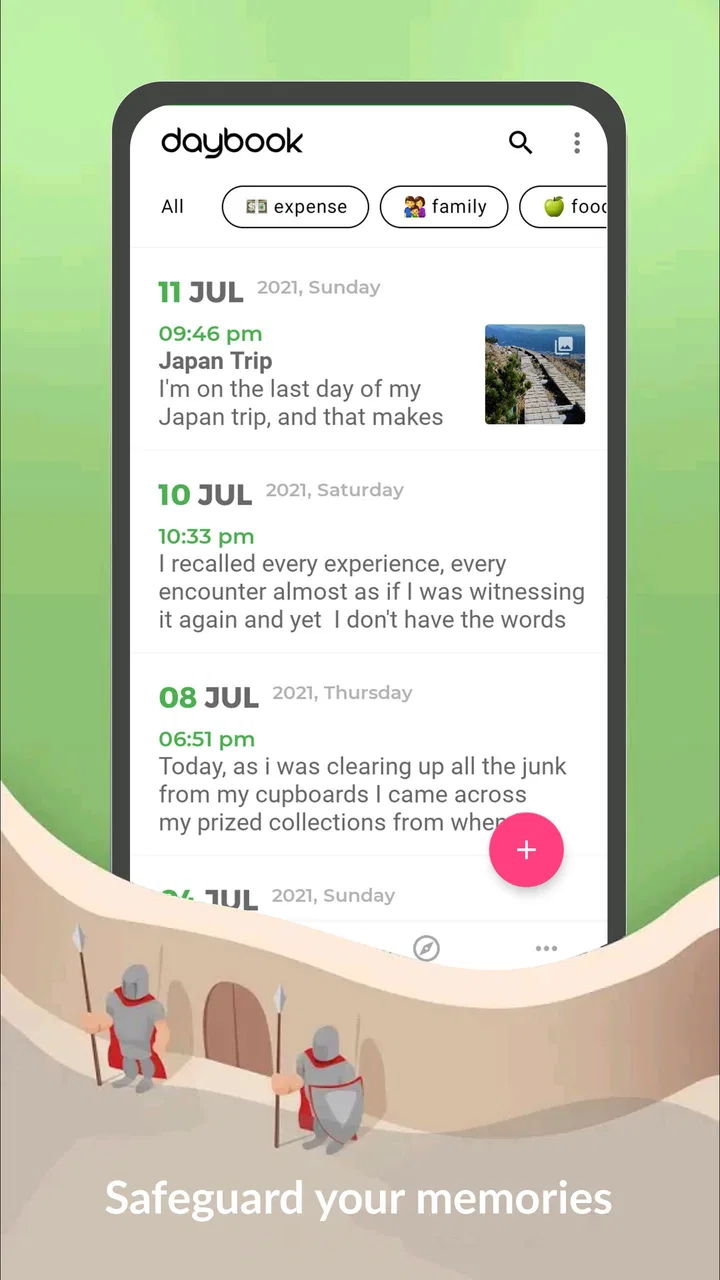
Daybook - Diary, Journal, Note
- 4.6
- Rating
- 1.00M
- Installs
- Free
- Price

 Analysis by App-foxy
I usually approach diary apps with some skepticism. The first few entries can feel satisfying, but the real test is whether the app still feels useful after the novelty of a fresh journal has disappeared. Daybook - Diary, Journal, Note makes a strong first impression because it reduces the effort between having a thought and saving it. It is a lifestyle app from Daybook Labs Inc, and its central idea is straightforward: capture personal moments in a private journal without turning the process into a writing assignment.
That simplicity is its biggest strength. I do not need to prepare a page, choose a format, or decide whether a thought is important enough for a formal diary entry. I can open it, speak or type, and move on. For someone who wants a record of ordinary life rather than a carefully edited memoir, that low pressure matters. The app is free to start, available for Everyone, and has built a substantial audience, with over one million installs and a 4.6 average from around fifty-nine thousand ratings.
What Daybook feels like during the first week
During the first week, the appeal comes from how quickly the app turns small moments into something worth keeping. A spoken note after a long commute, a reminder of what happened at a family dinner, or a quick reflection before bed can become part of a personal timeline without demanding polished prose. The speak-to-write approach is especially useful when my hands are busy or when I have an idea that would vanish before I found the patience to type it.
You May Also Like

 Blood Strike: 2.5 Anniversary
Blood Strike’s Loadouts Turn Every Drop Into a Tactical Gamble
A close look at Blood Strike’s custom loadouts: how fast access to signature weapons reshapes its battle royale rhythm, rewards preparation, and narrows the gap between fights.

 Pandora - Music & Podcasts
Pandora’s Music Is Easy to Start, but Harder to Recover
Pandora’s strength is its low-effort path from a seed to a station. Its weak spot is how much confidence it asks you to place in connection, setup, and quiet recovery.

 8 Ball Pool
 Is Built on Rivalries, Rematches, and Routine
A close look at the rivalries, rematches, shared routines, and unanswered safety questions that turn a quick pool match into a persistent mobile community.

 Samsung Music
’s Quiet Strength Is Playing What You Already Own
Its reach comes less from spectacle than from dependable access to a personal library. That simplicity is both the app’s strongest retention engine and its ceiling.

 AccuWeather: Weather Radar
AccuWeather Review: A Quick, Clear Forecast for Everyday Decisions
For everyday plans, the best forecast is the one you can understand quickly. AccuWeather makes rain timing, radar, and local conditions easy to act on, with a few trade-offs.

 Hill Climb Racing
Why Hill Climb Racing Still Turns Crashes Into One More Run
A tiny car, a bumpy hill and one more upgrade: Hill Climb Racing keeps resurfacing because its simple chaos makes every near-miss feel personal.
More From Our News Desk



I found this more practical than the usual blank-page experience. A traditional notes app gives me plenty of freedom, but that freedom can make a journal feel indistinguishable from a pile of unfinished reminders. Daybook’s identity as a diary encourages me to write in a more personal way. At the same time, it does not force a rigid productivity system on me. That balance makes it approachable for a first-time journal user.
The first-week workflow I would recommend is deliberately small. Instead of promising myself a long entry every night, I would record one event, one feeling, or one detail I might otherwise forget. This is where the app earns its place quickly: it supports fragments. A sentence about an unexpectedly good conversation can be more valuable months later than a carefully planned entry that never gets written.
Voice input also changes the kind of memories I am likely to save. Typing tends to make me edit while I write, which can flatten a thought before it reaches the page. Speaking is less formal. I can describe a day in the same order it comes back to me, then leave it alone. That makes the journal feel closer to a personal record than a collection of social-media-ready updates.
There is a useful distinction here between recording and reflecting. Daybook is very good at helping me record something while it is fresh. Whether it helps me understand a recurring mood or make a long-term change depends more on how consistently I return to old entries. The app can lower the barrier to collecting memories, but it cannot create curiosity about those memories for me.
That is also the first limitation I noticed. If I expect a full planning system, a task manager, or a structured mental-health program, this is not the right category of tool. Its value is personal documentation. I would not replace a dedicated notes workspace or a professional support service with it. I would use it alongside those tools when the goal is simply to preserve an honest account of daily life.
The app’s broad age rating makes sense because the basic concept is easy to understand and not tied to a particular lifestyle. A student can use it for a private reflection, a parent can capture family moments, and a traveler can keep an informal record of a trip. The same simplicity that helps newcomers can feel limited to people who want elaborate templates, extensive tagging, or a heavily customized writing environment.
A realistic everyday routine
Imagine arriving home after a difficult day with no energy for a long journal session. I might open Daybook while making tea and speak for less than a minute: what went wrong, what surprised me, and what I want to remember tomorrow. That entry does not need to be profound. Its usefulness comes from preserving context that would otherwise be reduced to “bad day” in my memory.
The next morning, I could add a short follow-up instead of starting from scratch. This creates a small chain of thought without requiring a formal habit tracker. The important trick is to treat the app as a catch-all for meaningful personal details, not as another obligation to complete perfectly. If I miss a day, I would return with the next real moment rather than trying to reconstruct an ideal streak.
For busy users, that approach is more sustainable than setting an ambitious writing target. The app’s speak-to-write focus works best when it is attached to an existing routine: after a walk, before sleep, during a commute when it is safe to do so, or immediately after an event. The less ceremony involved, the more likely the journal will contain actual life instead of intentions.
Why it can remain useful from month to month
After the first month, the question changes. The excitement of trying a new journal fades, and the app has to justify opening it again. In my view, Daybook’s recurring value comes from accumulation. A single entry may feel minor, but a growing record can reveal how often certain experiences appear, which people or places matter to me, and which moments I tend to overlook.
This is where a diary differs from a standard notes app. Notes are usually created to support a task: save an idea, copy an address, or remember an instruction. A personal journal is valuable because the entry is connected to my life at a particular time. Looking back is not just retrieval; it is a way to recover the atmosphere around an event. Daybook is better suited to that emotional continuity than a general-purpose scratchpad.
I would also use it for projects that unfold slowly. Moving home, preparing for an exam, adapting to a new job, or caring for a family member can make individual days blur together. Short entries provide checkpoints. I can note what felt difficult, what improved, and what I learned, without needing to write a complete retrospective each week. This kind of record is more useful than it sounds because memory tends to preserve the outcome while losing the gradual process.
Another practical workflow is to use entries as raw material for a monthly review. Rather than rereading everything passively, I would look for three things: a repeated frustration, an unexpected source of energy, and one moment I am glad I saved. That turns the app from storage into a modest reflection tool. It is not a substitute for a structured coaching method, but it can give me evidence about my own routines instead of relying on vague impressions.
The trade-off is that this benefit depends on returning to older writing. If I only dictate entries and never revisit them, Daybook becomes an archive rather than an active part of my life. That is not necessarily a problem; some people want a memory vault and nothing more. But users expecting automatic personal insight may be disappointed. The lasting value is created by the combination of easy capture and occasional attention.
Compared with paper, the app is more convenient for quick entries and less satisfying for people who enjoy handwriting, physical keepsakes, or a screen-free ritual. Compared with a notes app, it offers a clearer emotional purpose but may feel less flexible for mixed work and personal information. Compared with a social network, it removes the pressure to perform for an audience. I consider that a major advantage: the entry can be ordinary because it is meant for me.
The free starting price makes experimentation easy, although the app includes in-app purchases ranging from $1.99 to $199.99 per item. I would pay attention to the upgrade screen before committing to a long-term setup and decide whether the features offered justify the expense for my own routine. A free diary is enough for someone testing the habit, while a dedicated user may find paid options worthwhile if they solve a specific need rather than simply adding more choices.
Keeping the habit without turning it into homework
My preferred maintenance method would be a “minimum entry” rule. On a busy day, I would save one sentence or a brief voice note. On a calmer day, I could write more. This prevents the common failure mode where a journal becomes an all-or-nothing project. The app is most convincing when it accepts uneven participation instead of making every missed day feel like failure.
I would also separate private documentation from self-criticism. An entry does not have to explain the day perfectly, identify a lesson, or end with a positive conclusion. Preserving uncertainty is sometimes more honest and more useful later. Daybook’s uncomplicated format supports that style because it does not require me to turn every memory into a polished narrative.
For travel or major life events, I would make entries while details are still vivid, then add a longer reflection after returning to normal life. The first note captures sounds, names, and small surprises; the later note captures what the experience meant. This two-stage workflow gives the journal more depth without demanding a long session at the moment when I am busiest.
The maintenance burden and the points that may cause fatigue
The main burden is not learning the app. It is deciding what deserves to be recorded and remembering to return. A simple journal can still become another neglected icon if it is not connected to a real trigger. I would not install it expecting the app alone to create discipline. The best results come when I attach it to something already happening every day.
Voice entry reduces friction, but it does not eliminate it. Speaking is convenient in private, familiar surroundings; it is less comfortable in public or shared spaces. Dictated thoughts can also be less tidy than typed ones. I would accept rough wording when speed matters and edit only entries I expect to revisit. Otherwise, polishing every note would defeat the reason for using voice capture.
There is also a psychological form of fatigue. Once a journal contains many entries, rereading can feel like work, especially if every day has a similar structure. To keep the record interesting, I would vary the purpose of entries: one day capture a person, another day a place, another day an emotion, and occasionally a question I want to answer later. That gives the archive more texture than repeating a daily summary.
Users who need advanced organization should think carefully before choosing this as their only personal information system. A specialized notes or knowledge-management app may be better for linking ideas, maintaining research, or organizing large reference collections. Someone who wants mood charts, guided prompts, reminders, or formal goals may also prefer a dedicated wellness or habit product. Daybook’s strength is the direct relationship between a moment and a journal entry, not an extensive framework around it.
Privacy is another reason to make a deliberate choice. A diary can contain more sensitive material than ordinary notes, so I would read the app’s current privacy and backup details inside the store and settings before making it my only record. I would also keep copies of especially important memories in a separate place if losing access would be painful. That is not a criticism of this particular app; it is sensible practice for any digital journal.
Device compatibility is reasonably welcoming for people using older phones, since the current version, 6.38.0, supports Android 6.0 and later. That broad support can be useful if I do not upgrade hardware frequently. Still, I would keep the app updated when possible, because diary software handles personal information and a current version is generally preferable for reliability and security maintenance.
The developer, Daybook Labs Inc, has kept the product focused around personal journaling rather than turning it into a crowded social platform. I appreciate that direction. The danger of adding too many systems is that writing becomes secondary to managing the journal itself. On the other hand, users who enjoy customization may find the focused approach too restrained after the initial appeal wears off.
My long-term verdict
Daybook earns lasting space on my phone when I use it as a low-pressure memory habit, not as a demanding daily performance. Its first-week appeal is real: speaking a thought is faster than composing a polished paragraph, and the diary context makes personal notes feel more meaningful than random scraps in a general notes app. The month-to-month benefit comes from having enough small records to notice the shape of my life.
I would recommend it to someone who often thinks, “I wish I had written that down,” but rarely has the patience for traditional journaling. It also suits people who want a private-feeling alternative to posting memories publicly, travelers who prefer quick spoken records, and anyone trying to preserve everyday details before they disappear into routine. The free entry point makes it sensible to try without treating the decision as a major commitment.
I would be more cautious about recommending it to a user who wants a complete productivity system, deep organization, structured therapeutic exercises, or a highly visual scrapbook. A paper journal may be better for a tactile ritual, while a more specialized app may be better for analysis or task management. Daybook is not trying to solve all of those problems, and forcing it into one of those roles would make its simplicity feel like a weakness.
My practical advice is to test it with a narrow promise: save one genuine moment a day for several weeks, then reread a small selection. If the entries help you remember, understand, or appreciate your life, the habit has recurring value. If opening the app feels like another chore and the archive does not interest you, no amount of novelty will make it a permanent tool.
Overall, I see Daybook as a useful digital diary because it respects the difference between wanting to remember something and having time to write about it properly. Its strongest long-term quality is not the act of recording every day, but making meaningful memories easy to capture on the days when life is too busy for a traditional journal. That is a modest promise, but it is one the app can realistically support.
FAQs for Daybook - Diary, Journal, Note
01What is Daybook - Diary, Journal, Note used for?
Daybook is a personal journaling and note-taking app designed to help you record daily thoughts, memories, activities, ideas, and important events. Its diary-style layout makes entries easy to organize by date, while search and browsing features help you revisit older notes. It can be useful for private reflection, planning, gratitude journaling, or keeping a simple record of everyday life.
02Does Daybook support voice entries, photos, or other media?
Daybook is more than a basic text editor and may support different types of journal content depending on the device and app version, including written entries, photographs, location details, mood information, and voice-based journaling. These options make entries more personal and convenient, especially when typing is impractical. Before downloading, check the current store listing because available media features can vary.
03Can I protect my Daybook entries with a password or biometric lock?
Privacy is an important consideration for any diary app, and Daybook commonly provides security options such as a passcode, PIN, fingerprint, or other biometric protection, depending on your device and operating system. After installation, review the privacy and security settings carefully. A screen lock should not be treated as a replacement for regular device backups or account security.
04Can Daybook synchronize my diary across Android and iOS devices?
Daybook may offer cloud synchronization or account-based access so that journal entries can be available on more than one device. However, synchronization support, storage limits, and cross-platform compatibility can depend on the current version and subscription plan. If you are switching from Android to iPhone, or the other way around, verify the latest transfer and backup options before relying on the app as your only archive.
05Is Daybook free to download, and are there in-app purchases?
Daybook can generally be downloaded at no initial cost, but some advanced features may require in-app purchases or a premium subscription. Potential paid options can include additional privacy controls, cloud backup, media features, customization, or removal of limitations. Pricing and included tools may differ between Android and iOS, so review the app store details and subscription terms before confirming a purchase.
Pros
- Clean
- distraction-free interface for daily journaling
- Supports photos
- audio recordings
- and location details
- Calendar view makes older entries easy to find
- Useful reminders encourage consistent journaling habits
- Entries can be protected with a PIN or biometric lock
Cons
- Some advanced features may require a premium subscription
- Cloud backup options may depend on the selected account or plan
- Audio and photo entries can use considerable storage space
- Limited formatting tools for users wanting richly styled notes
- Privacy depends on keeping account and device security properly configured

Daybook - Diary, Journal, Note
Gallery